Glitter Beauty Coloring Pages
- 3.9
- Rating
- 5.00M
- Installs
- Free
- Price
 Analysis by App-foxy
Glitter Beauty Coloring Pages is a free art-and-design app from FunKidStudio aimed at children who enjoy makeup themes, bright colors, and simple digital coloring. I found it easy to understand from the first screen: the appeal is less about learning a complicated drawing system and more about giving kids a playful canvas filled with beauty-inspired pictures. The store summary describes it as a glitter makeup set coloring experience, and that focus is important because it immediately tells you who will enjoy it most.
I would recommend it to a child who likes decorating faces, experimenting with color combinations, or creating cheerful pictures without having to master a full illustration program. It is also the kind of app a parent might keep available for a short creative activity during a quiet afternoon. At the same time, I would not confuse it with a serious digital painting tool. Its strength is accessible coloring, not professional drawing control, detailed tutorials, or open-ended artistic work.
How the coloring experience feels in everyday use
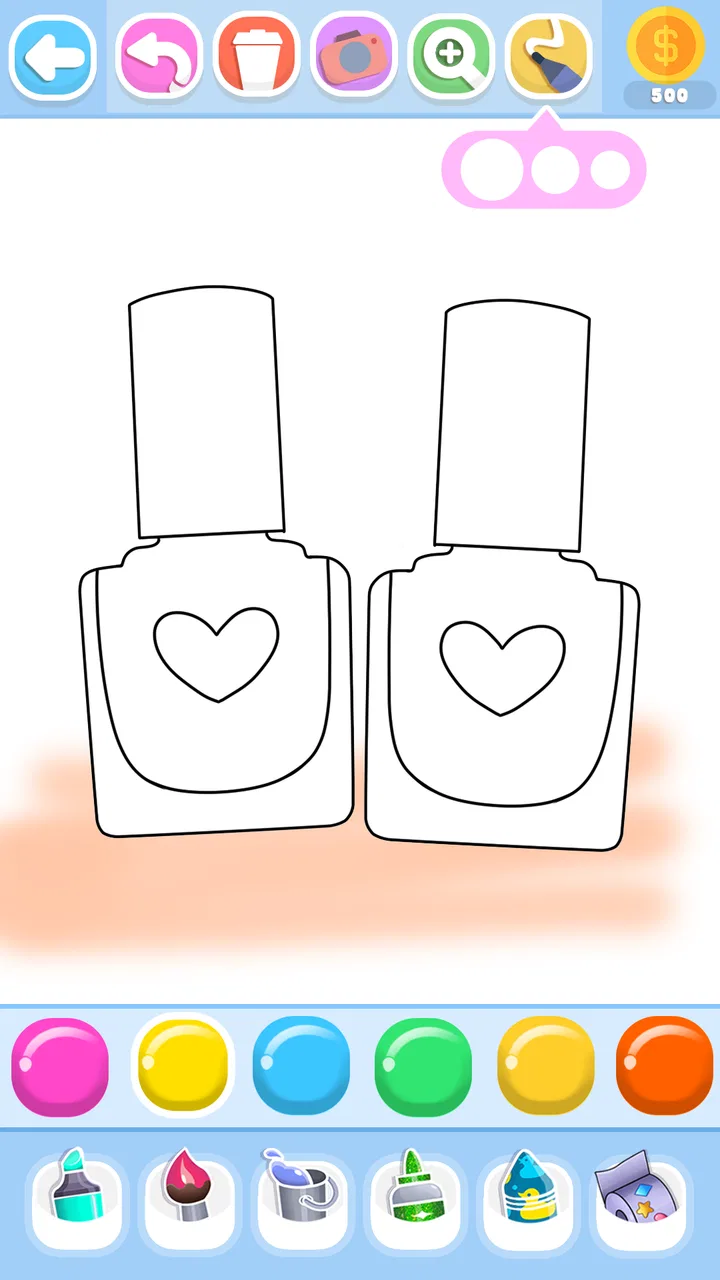
When I approach an app like this with a child in mind, the most important question is whether the creative task feels inviting rather than intimidating. This one stays within a familiar coloring-page idea, using beauty and makeup imagery as its central theme. That makes the learning curve gentle. A child does not need to understand layers, brushes, palettes, or complicated editing panels before making something recognizable.
You May Also Like

 Blood Strike: 2.5 Anniversary
Blood Strike’s Loadouts Turn Every Drop Into a Tactical Gamble
A close look at Blood Strike’s custom loadouts: how fast access to signature weapons reshapes its battle royale rhythm, rewards preparation, and narrows the gap between fights.

 Pandora - Music & Podcasts
Pandora’s Music Is Easy to Start, but Harder to Recover
Pandora’s strength is its low-effort path from a seed to a station. Its weak spot is how much confidence it asks you to place in connection, setup, and quiet recovery.

 8 Ball Pool
 Is Built on Rivalries, Rematches, and Routine
A close look at the rivalries, rematches, shared routines, and unanswered safety questions that turn a quick pool match into a persistent mobile community.

 Samsung Music
’s Quiet Strength Is Playing What You Already Own
Its reach comes less from spectacle than from dependable access to a personal library. That simplicity is both the app’s strongest retention engine and its ceiling.

 AccuWeather: Weather Radar
AccuWeather Review: A Quick, Clear Forecast for Everyday Decisions
For everyday plans, the best forecast is the one you can understand quickly. AccuWeather makes rain timing, radar, and local conditions easy to act on, with a few trade-offs.

 Hill Climb Racing
Why Hill Climb Racing Still Turns Crashes Into One More Run
A tiny car, a bumpy hill and one more upgrade: Hill Climb Racing keeps resurfacing because its simple chaos makes every near-miss feel personal.
More From Our News Desk



The makeup theme also gives the activity a clear direction. Instead of facing a blank canvas, the user can begin with a subject and make decisions about its appearance. That is useful for children who enjoy choosing colors but become frustrated when asked to invent an entire picture from nothing. The glitter angle adds a decorative mood, so the experience feels closer to decorating a page than practicing formal drawing.
In a realistic everyday scenario, I can imagine opening it while waiting for an appointment or during a short break at home. A child could choose a picture, work through the visible areas, and save the result as a small creative project rather than needing a long uninterrupted session. The app suits that stop-and-start pattern better than a demanding drawing application where unfinished work may require more concentration.
One practical tip is to treat each picture as a color-planning exercise instead of rushing to fill every area. I would suggest choosing a small group of related colors first, such as warm shades for the makeup and a contrasting tone for decorative details. This helps children see how a limited palette can make a picture look more intentional. It also turns a simple coloring activity into an early lesson in visual balance without making the experience feel like homework.
What makes it approachable for children
The content rating is Everyone, which matches the app’s child-friendly creative purpose. That does not mean every child will respond to it in the same way. The beauty theme will naturally appeal more to children who already like makeup, fashion, accessories, or decorative art. A child who prefers animals, vehicles, building games, or unrestricted sketching may find the subject matter narrow even if the controls are easy to grasp.
I also see value in the low-pressure nature of coloring pages. There is no need to produce a technically accurate portrait or compete against another player. The child can focus on visual choices and personal taste. For younger users, that can be more rewarding than an app that constantly measures progress or introduces goals they may not understand.
Parents should still try the app themselves before handing over a device for extended use. The application is free to install, but it includes in-app purchases ranging from $0.99 to $4.99 per item. That makes the basic entry point accessible, while also meaning that purchase controls and supervision are sensible whenever a child is using it. The free starting point is a genuine advantage, but it should not be treated as proof that every part of the experience is unlocked without cost.
Where the free access offers real value
The main value of a free coloring app is that a family can test the concept without committing money first. With this title, a parent can see whether the child actually enjoys glitter-style beauty artwork before considering any optional purchase. That is a better value proposition than buying a specialized creative app immediately and discovering that the theme does not hold the child’s attention.
For occasional use, free access may be enough. If the child only wants a quick activity now and then, the app can provide a convenient creative outlet without requiring a paid subscription. I especially appreciate that distinction: it can function as a casual coloring option rather than something a family must budget for every month.
The purchase range is also relatively clear. Individual items cost between $0.99 and $4.99, so the potential spending is not hidden behind vague language. Still, the value depends on what those items add to the child’s experience and how often the app is used. I would not pay simply because a locked item looks attractive on the screen. I would first see whether the freely available material already provides enough variety for the intended user.
A useful household approach is to set a simple rule: use the free content for several sessions, then decide whether an optional purchase would genuinely extend interest. This avoids turning every colorful image into an impulse request. It also gives the child a chance to learn that creative enjoyment does not always require unlocking everything.
The tradeoffs behind the glitter-focused design
The strongest theme is also the largest limitation. Because the app centers on beauty coloring pages, it may not offer the broad subject range found in general coloring collections. That is not a flaw for the right audience, but it matters when choosing an app for siblings with very different interests. One child may enjoy makeup designs repeatedly, while another may quickly want landscapes, animals, or freehand tools.
It is also important to keep expectations realistic about artistic control. A coloring-page app usually guides the user toward filling prepared designs, whereas a full drawing app gives more freedom to create lines, shapes, and original compositions. If your child wants to draw a face from scratch, practice handwriting-like strokes, or build a picture without boundaries, a general sketching app will probably be a better fit.
Compared with a traditional paper coloring book, the digital version is more convenient and easier to restart, but it does not provide the same physical experience. Some children enjoy the pressure of crayons and the visible texture of paper. Others prefer the clean, immediate nature of a screen. I would choose this app for portability and quick experimentation, not as a replacement for every hands-on art activity.
Compared with a broad digital coloring platform, the focused makeup subject may feel more coherent but less varied. A large general-purpose catalog can serve a wider household, especially when several people share one tablet. This app makes more sense when the child’s interest is specifically beauty-themed art and the family values a simpler, narrower experience over a huge collection of unrelated subjects.
Small workflow choices that improve the experience
One non-obvious benefit of a focused coloring theme is that it encourages comparison between similar designs. Instead of treating each page as an isolated task, I would ask a child to create two versions of the same kind of look: one using soft colors and another using bold contrasts. That turns repeated coloring into experimentation. The child begins to notice that changing only the palette can alter the mood of the entire picture.
Another useful workflow is to finish the main areas before adding the most decorative details. Glitter-style elements can attract attention immediately, but starting with them may leave the larger composition feeling unbalanced. I would encourage the user to establish the face, makeup, and background colors first, then use brighter accents at the end. This is a simple way to introduce visual hierarchy while keeping the activity playful.
For a younger child, shared use can work better than handing over the device and walking away. An adult can ask questions such as which colors belong together or what kind of style the picture should have. That makes the app a conversation starter rather than passive screen time. It also helps a parent notice whether the child is enjoying the creative decisions or merely tapping quickly to finish.
A third practical insight is to use short sessions when attention starts to fade. Coloring can become repetitive if the child feels pressured to complete every page. Stopping after one finished design may preserve interest better than turning the activity into a long obligation. The app’s simple premise works best when it remains a relaxing choice, not a task that must be completed.
Device compatibility and practical expectations
The application requires Android 7.0 or later, so it is suitable for many older Android devices that still meet that system requirement. Before installing it on a child’s tablet, I would check the device version and available space, then open the app once myself. That quick test helps confirm that the controls feel comfortable on the particular screen size and that the child will not immediately need assistance.
The current version is 39, and the app has been available since September 26, 2019. Its continued presence is consistent with the fact that it has passed five million installs, while its average rating is 3.8 from around 4.8 thousand ratings. Those figures suggest that it has reached a substantial audience but that the experience is not universally loved. I would read that as a reason to match the app carefully to the child rather than assuming popularity guarantees satisfaction.
FunKidStudio is the developer behind the app. Since the product is aimed at children, I would make the first launch an adult-led step: review the available screens, understand where optional purchases appear, and decide whether the device’s purchase protections are appropriate. This is not a criticism unique to this app; it is simply good practice whenever a free children’s application includes paid items.
Who is likely to get the most from it
I think the best audience is a child who already enjoys beauty-themed creativity and wants a straightforward way to decorate prepared images. It can also suit a beginner who becomes discouraged by blank canvases. The guided format gives that user a clear starting point, while color choices still allow a personal result.
It may be useful for parents looking for a brief, low-pressure art activity rather than an educational drawing course. The app can support conversations about color, style, matching, and creative preference. Those benefits come from how an adult uses the activity with the child, not from expecting the app to replace structured art instruction.
I would skip it for a child who needs a wide range of themes, advanced drawing tools, or a more demanding creative challenge. I would also look elsewhere if the goal is to teach painting technique, digital illustration, or detailed control over original artwork. A general sketching program or a larger coloring collection would be a stronger choice in those cases, even if it feels less specifically tailored.
My value-based verdict
After weighing the free access against the optional purchases, I see Glitter Beauty Coloring Pages as a reasonable try-before-you-decide app. The no-cost entry makes sense for families who want to test a beauty-focused coloring activity, and the Everyone rating supports its intended child audience. The optional items, priced from $0.99 to $4.99 each, mean that parents should decide in advance how much extra content is worth buying rather than assuming the whole experience is free.
My recommendation is strongest for a young user who likes makeup imagery, glittery decoration, and simple coloring sessions. In that situation, the focused theme is an advantage, and the app can provide enjoyable creative time without demanding advanced skills. I would begin with the free experience, use a few deliberate color-planning activities, and only consider a purchase if the child returns to the app regularly and still wants more.
For everyone else, the decision is less automatic. Children who want animals, stories, open drawing, or serious art tools will probably find a different category more rewarding. In my view, this app succeeds when its narrow theme matches the user exactly. Its best value is not unlimited artistic freedom, but an easy and cheerful starting point for beauty-themed digital coloring.
FAQs for Glitter Beauty Coloring Pages
01What is Glitter Beauty Coloring Pages and how does it work?
Glitter Beauty Coloring Pages is a creative app designed for users to enjoy coloring intricate designs with a sparkling twist. The app provides a variety of beauty-themed images, such as makeup, dresses, and accessories, all of which can be colored using a palette of glittery colors. Users simply select an image, choose their colors, and tap to fill in the sections, creating dazzling works of art.
02Is Glitter Beauty Coloring Pages free to download and use?
The app is free to download and offers a selection of images for users to color at no cost. However, it may include in-app purchases for additional coloring pages, glitter palettes, or to remove ads. This allows users to enhance their experience with more content and features as desired.
03What age group is Glitter Beauty Coloring Pages suitable for?
Glitter Beauty Coloring Pages is designed for a wide range of users, from children to adults, who enjoy coloring and creative activities. The app's interface is user-friendly, making it accessible for younger users, while the detailed designs and glitter effects appeal to older audiences looking for a relaxing pastime.
04Does Glitter Beauty Coloring Pages require an internet connection?
An internet connection is not required to use the basic features of Glitter Beauty Coloring Pages, such as coloring the available images. However, an internet connection may be necessary to download additional content, access updates, or complete in-app purchases. It’s best to check the app’s requirements for specific details.
05Are there any privacy concerns with using Glitter Beauty Coloring Pages?
Glitter Beauty Coloring Pages may collect some user data to improve the app experience and for advertising purposes. It’s important for users to review the app’s privacy policy to understand what data is collected, how it is used, and whether it is shared with third parties. Parents should ensure that it complies with their comfort level regarding children's privacy.
Pros
- Vast selection of intricate designs.
- Easy-to-use interface for all ages.
- Offline mode available for convenience.
- Regularly updated with new pages.
- Supports multiple coloring tools.
Cons
- Ads can disrupt the coloring experience.
- Limited free content; in-app purchases needed.
- No options for custom designs.
- Glitter effects can be overwhelming.
- Occasional app performance lags.

Glitter Beauty Coloring Pages
Gallery